
How it works
From first property to paid rent.
Every step below is a real PropVeil screen.
25 real app screens
Chapter 1
The landlord
Set up your portfolio once. Then rent, documents and repairs run from one place.
-
01
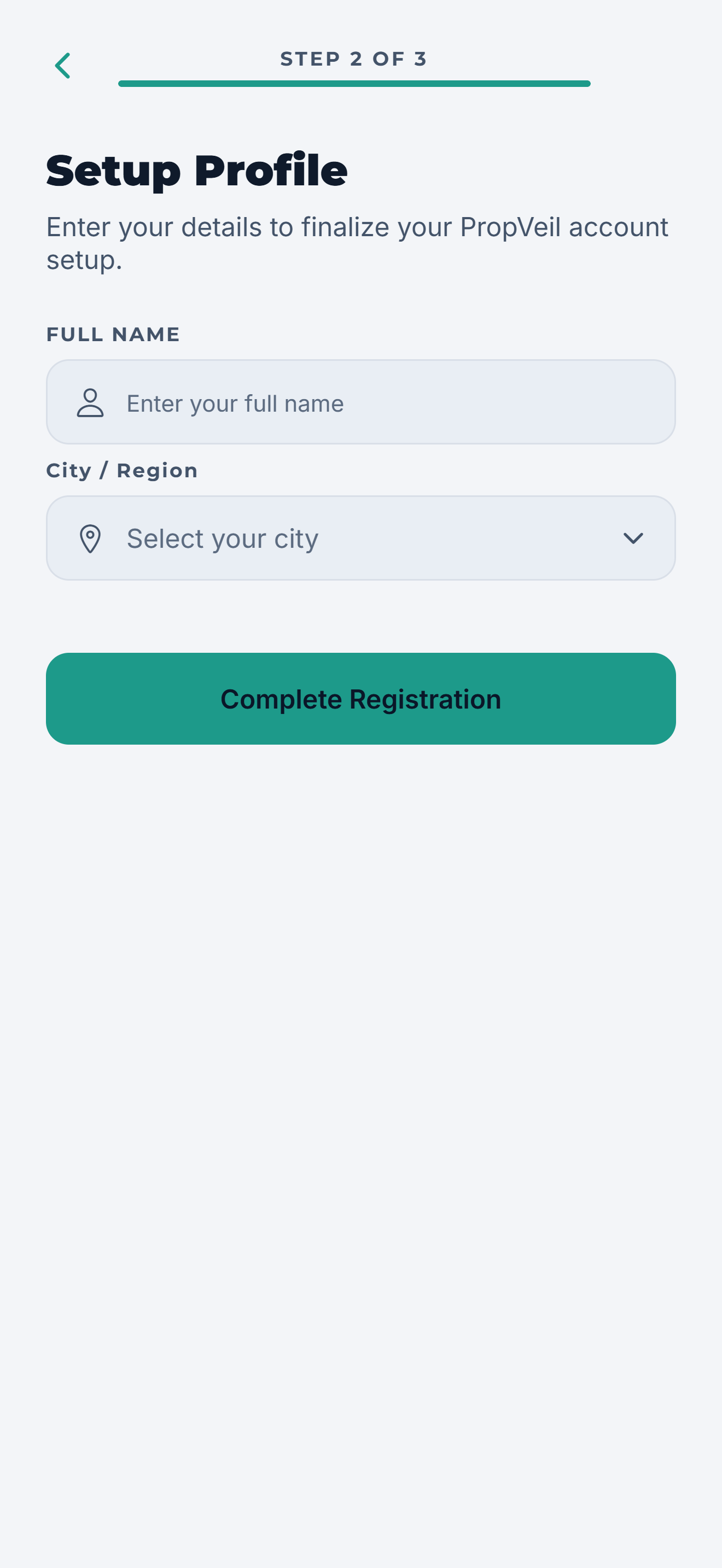
Create your account
Sign up with email and choose the plan that fits. Starter is free.
-
02
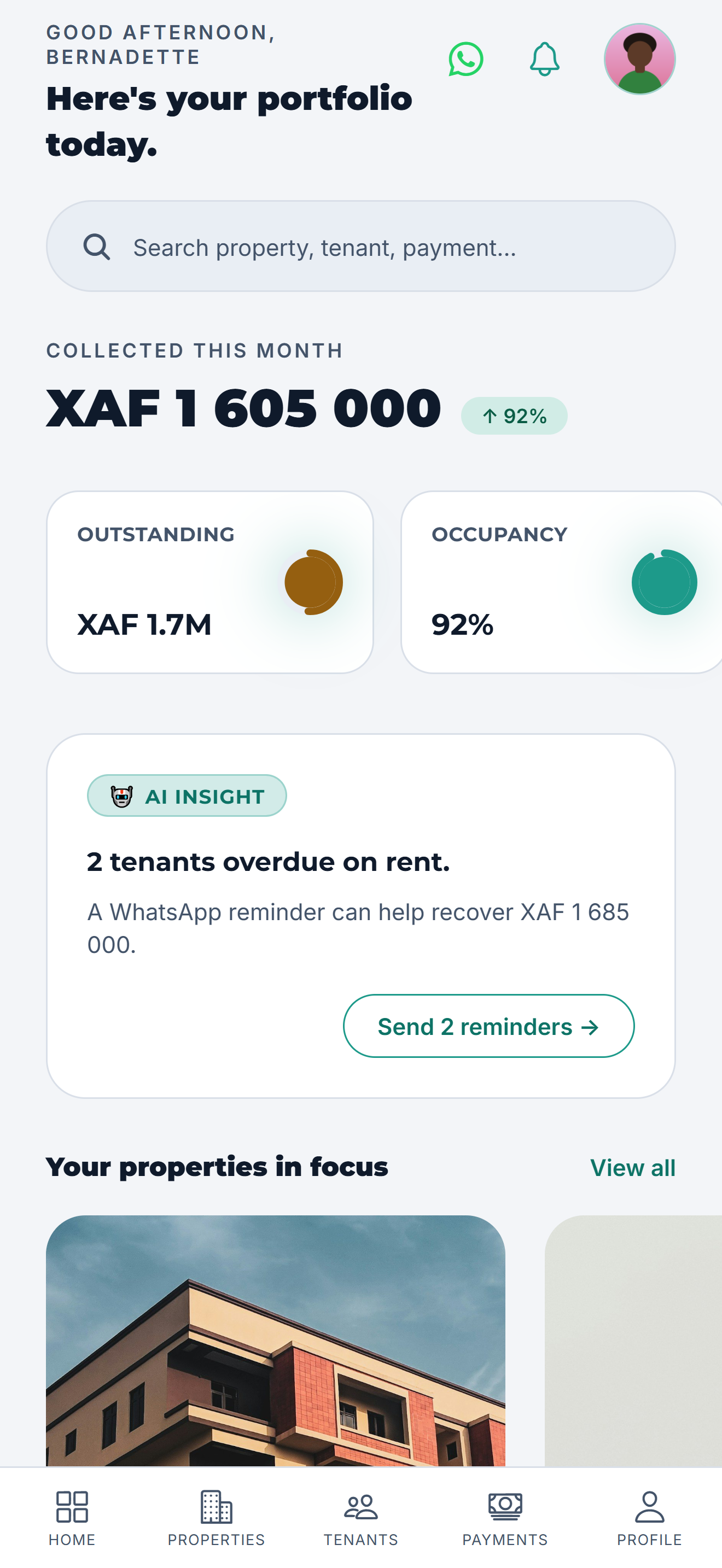
See everything at a glance
Collected rent, what is outstanding, vacancies and open tickets.
-
03
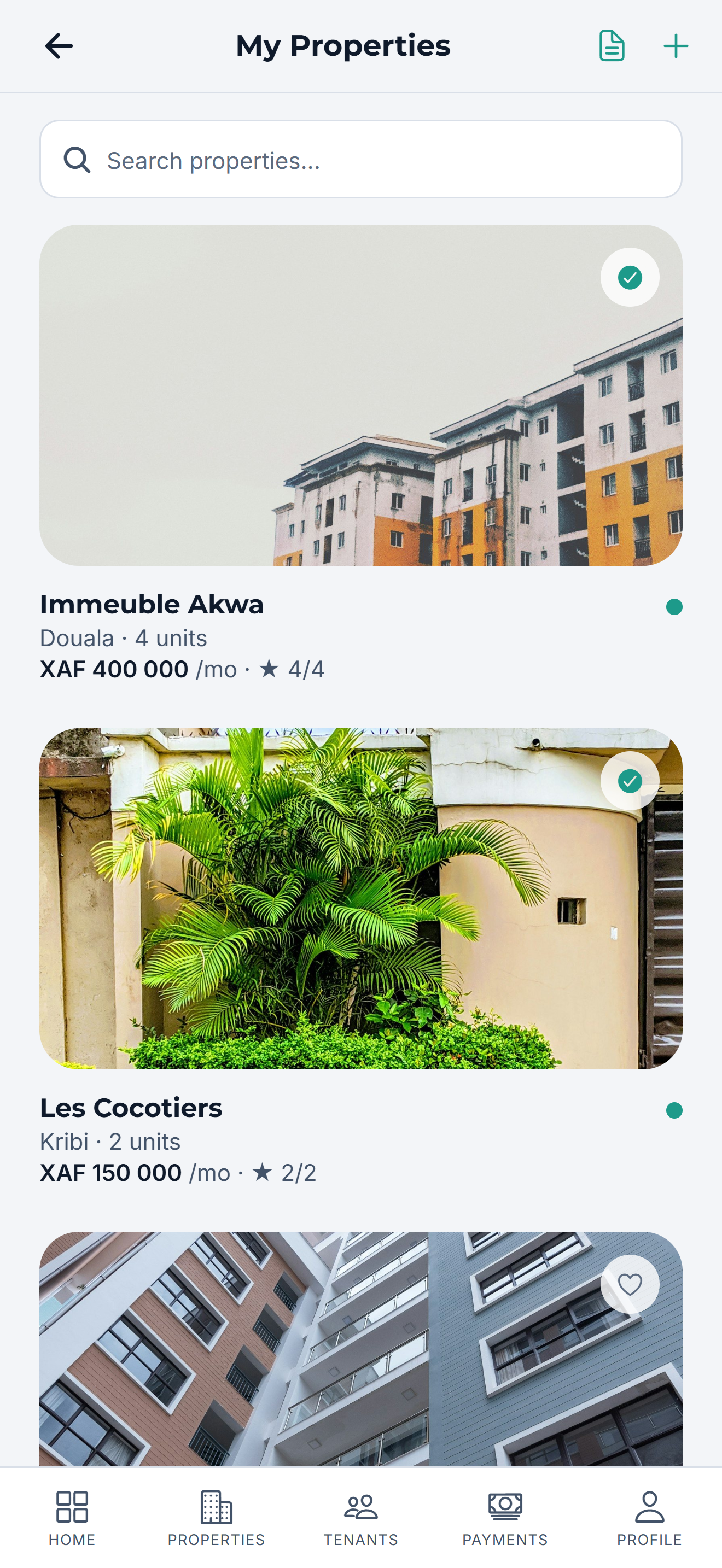
Add your properties
Each property with its units and monthly rent.
-
04
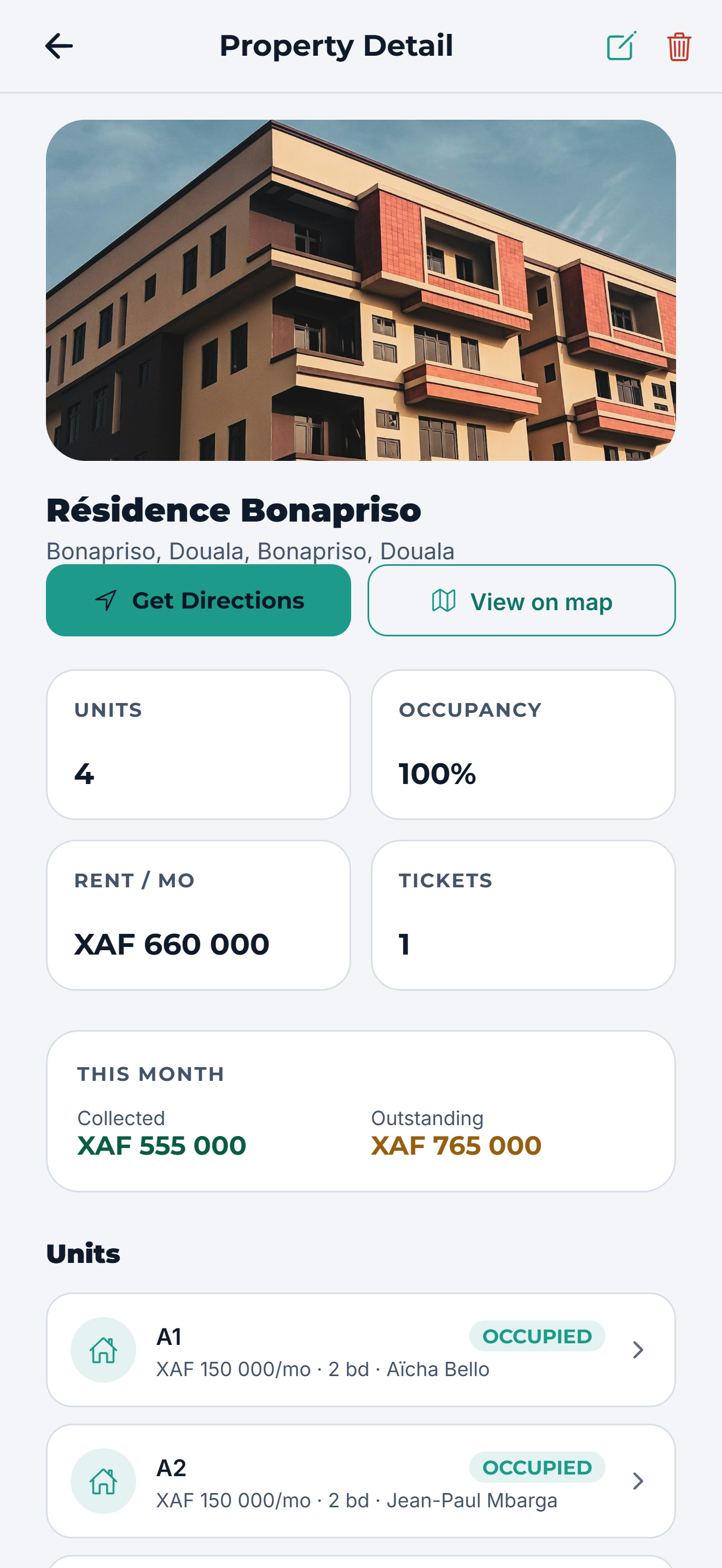
Every unit, every tenant
Occupancy, rent and lease dates for each property.
-
05
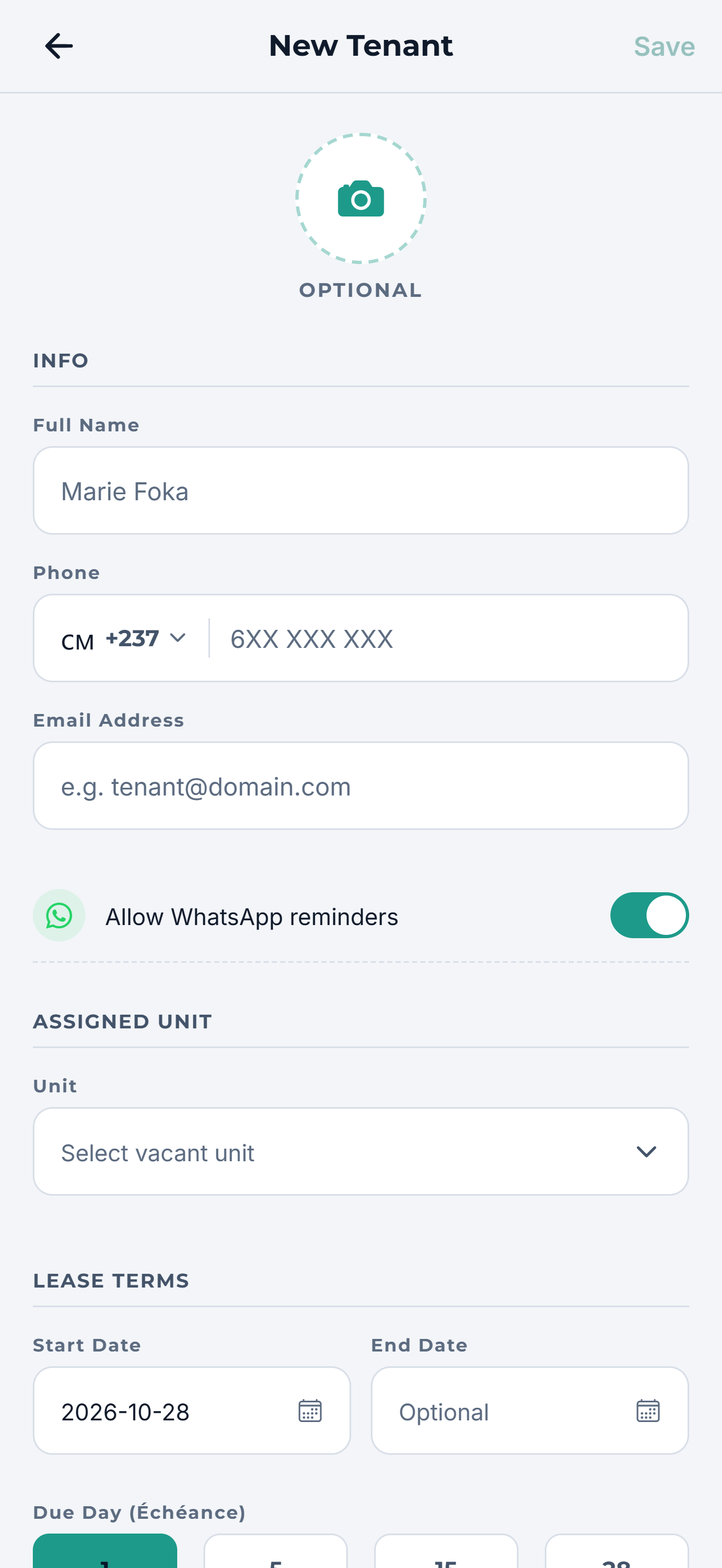
Add a tenant
Name and phone are enough. Send them their account link.
-
06
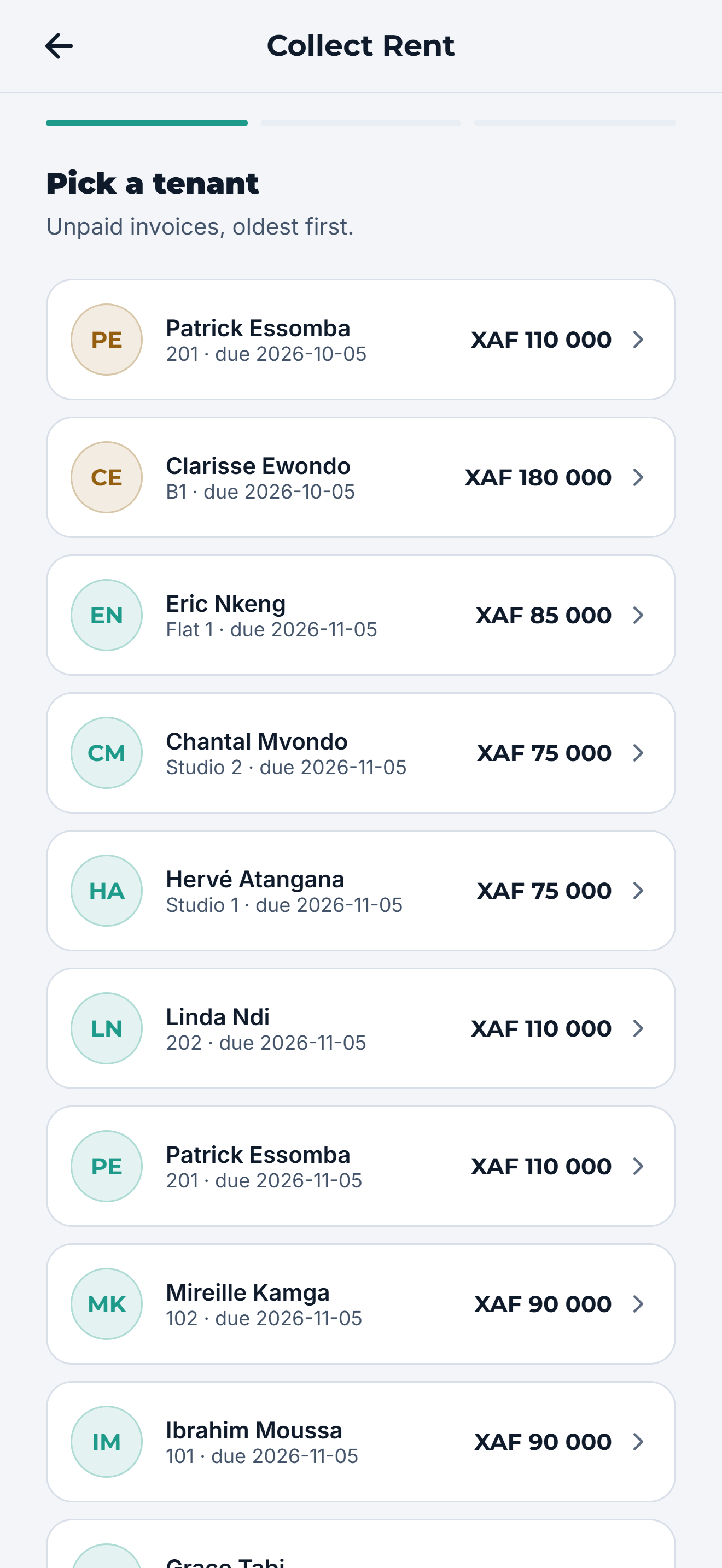
Request the rent
Pick a tenant with an unpaid invoice and send the rent request.
-
07
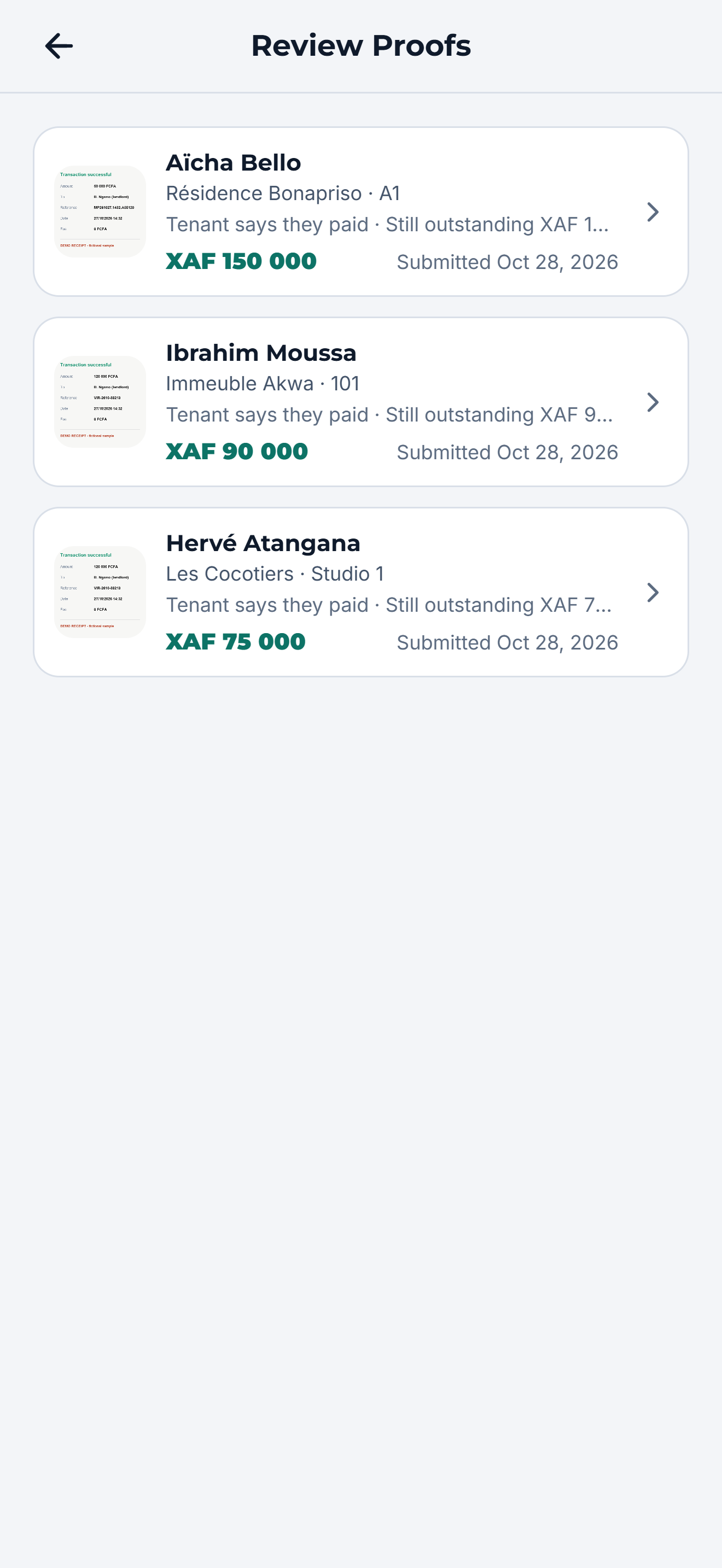
Review payment proofs
Each receipt the tenant uploads lands in your review queue.
-
08
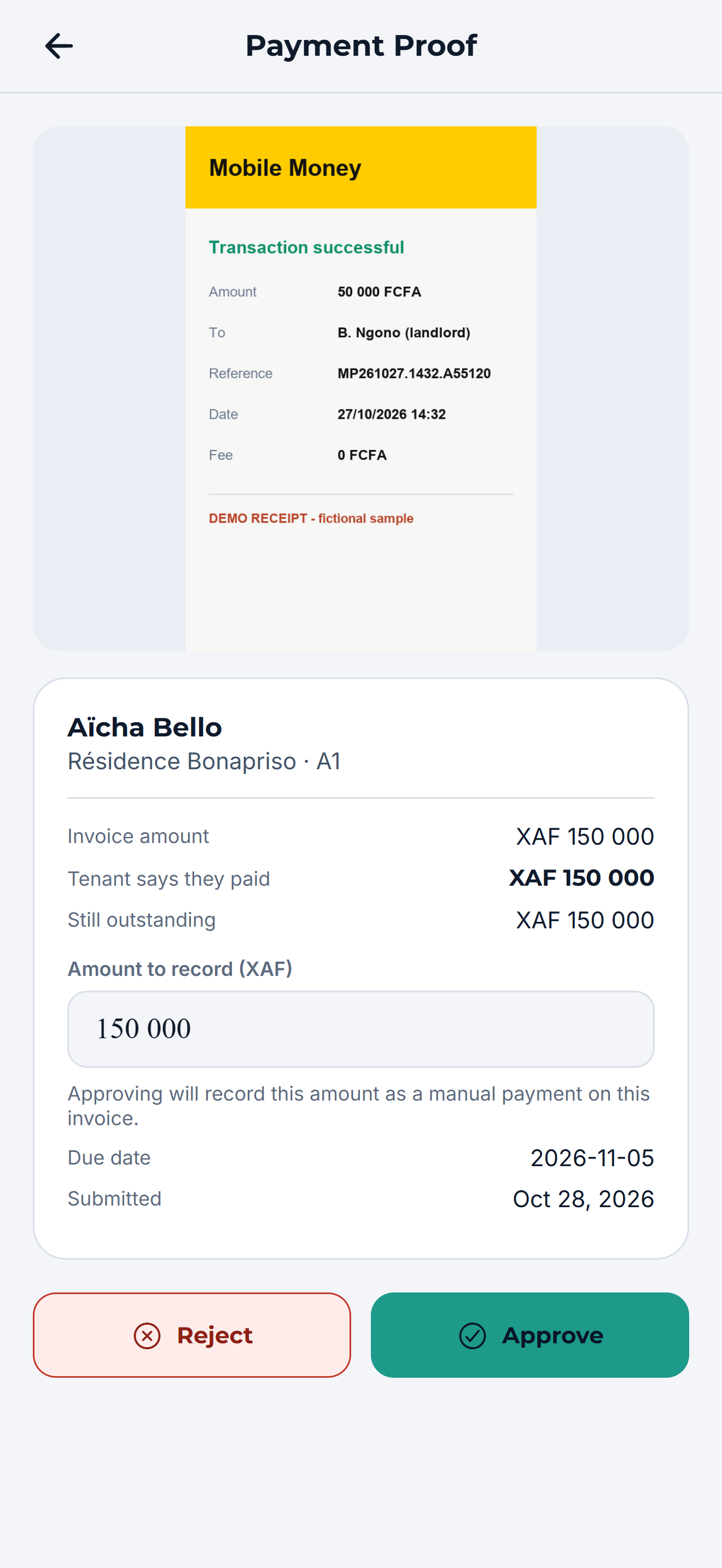
Approve the amount paid
Approve all of it or part of it. The balance updates and a receipt is issued.
-
09
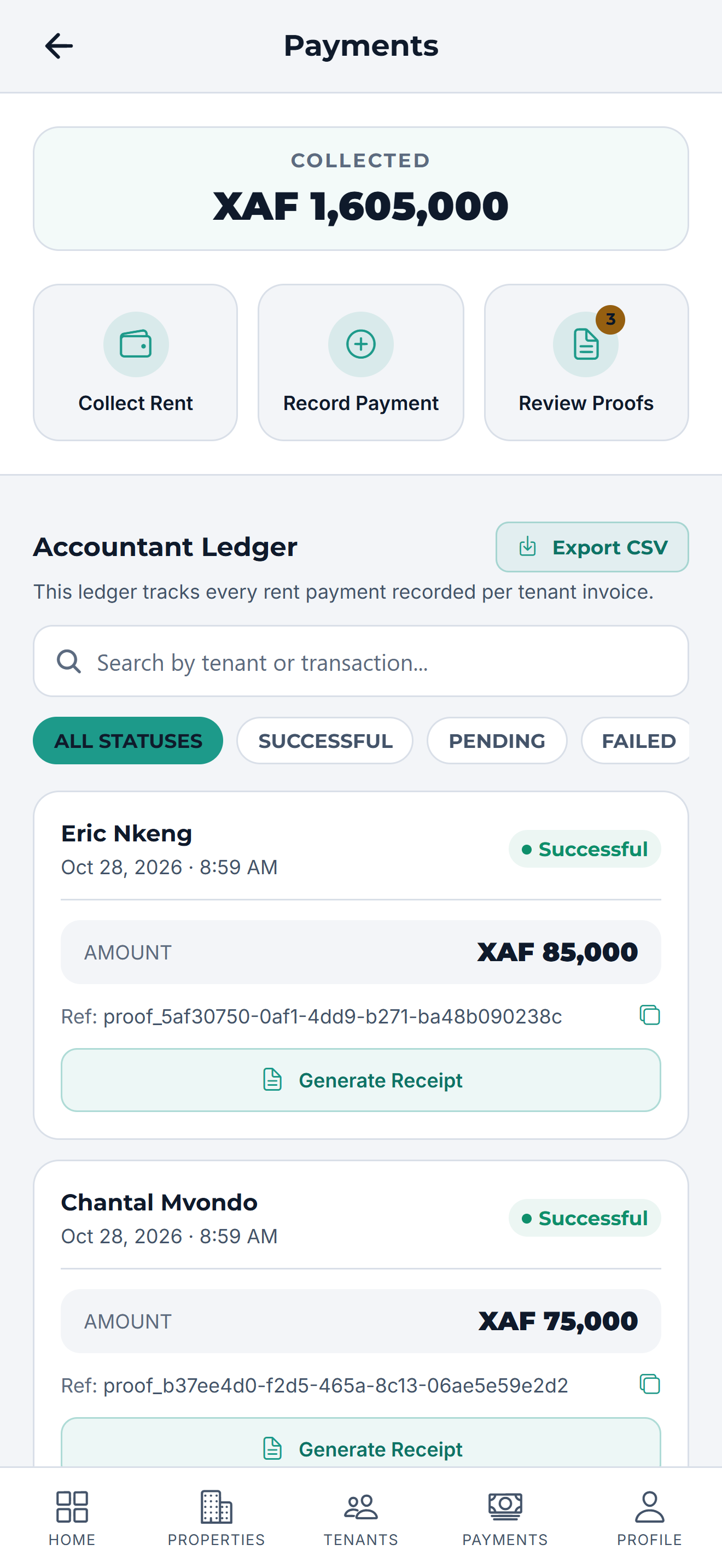
Know where every franc is
Collected, outstanding and recent payments, always current.
-
10
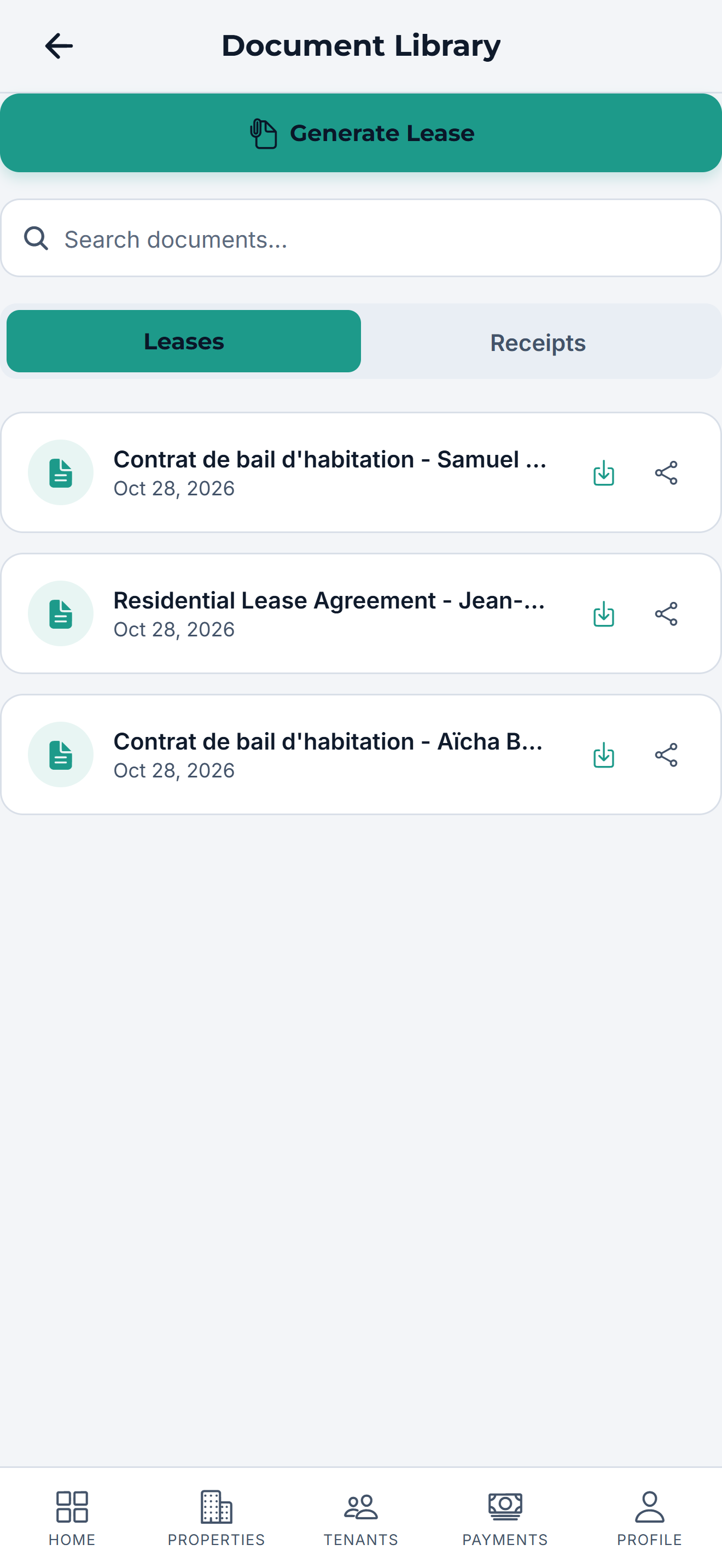
Leases and receipts
Bilingual Cameroon residential leases and payment receipts in one library.
-
11
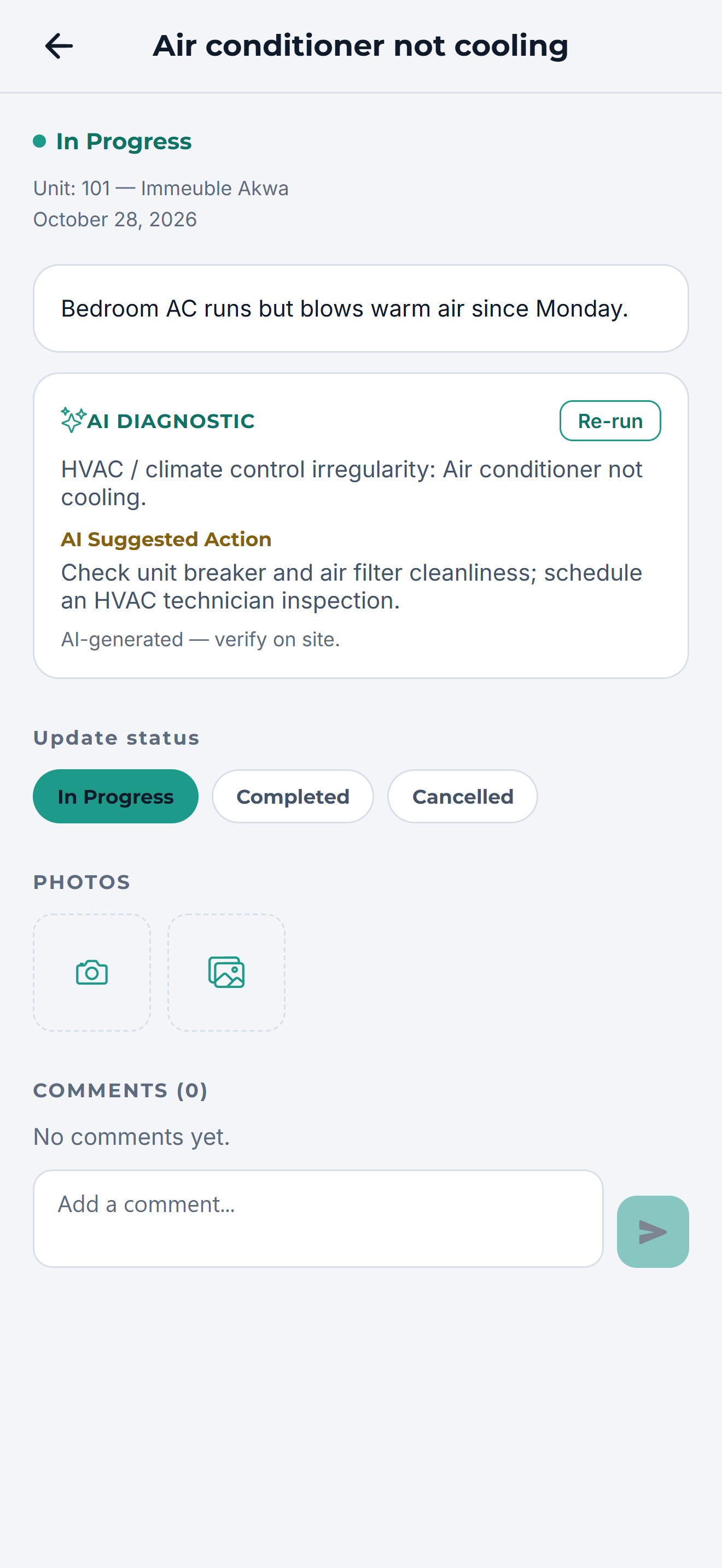
Repairs, tracked to done
AI-assisted triage, vendor assignment and status for each ticket.
-
12
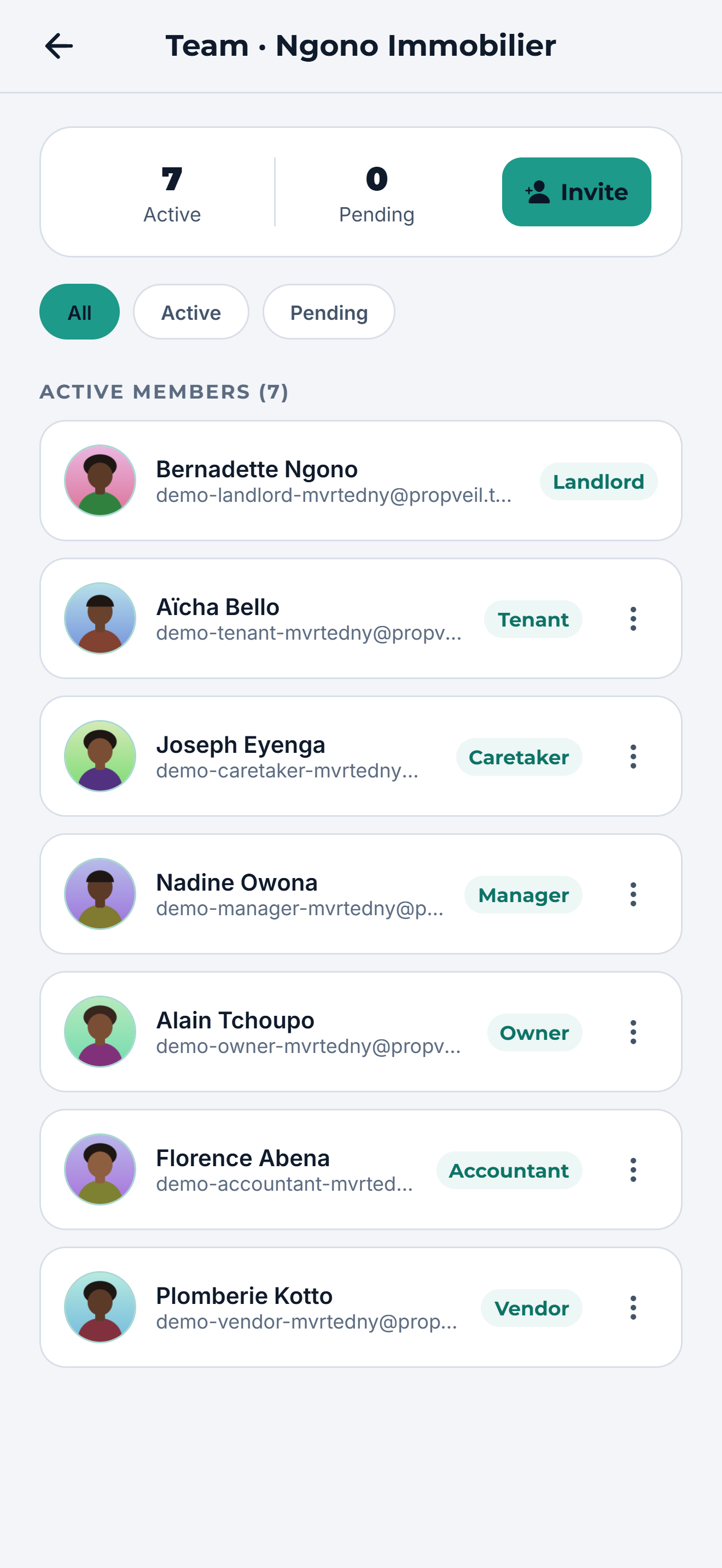
Bring in your team
Invite caretakers, managers, owners, accountants and vendors.
Step 01 / 12
Chapter 2
The tenant
No app install, no confusion. Tenants see what they owe and prove what they paid.
-
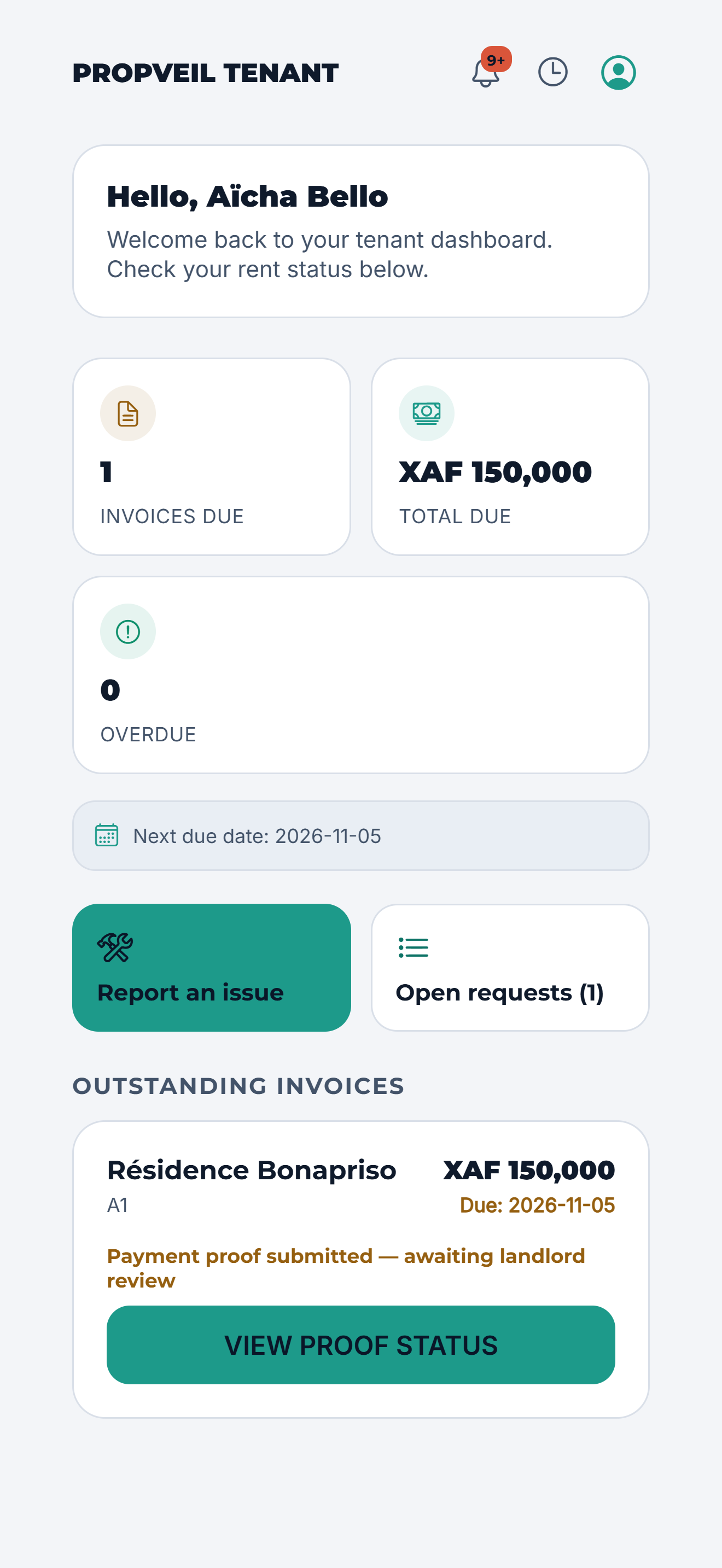
01
Open the link
Tenants sign in from the link you sent and see what is due.
-
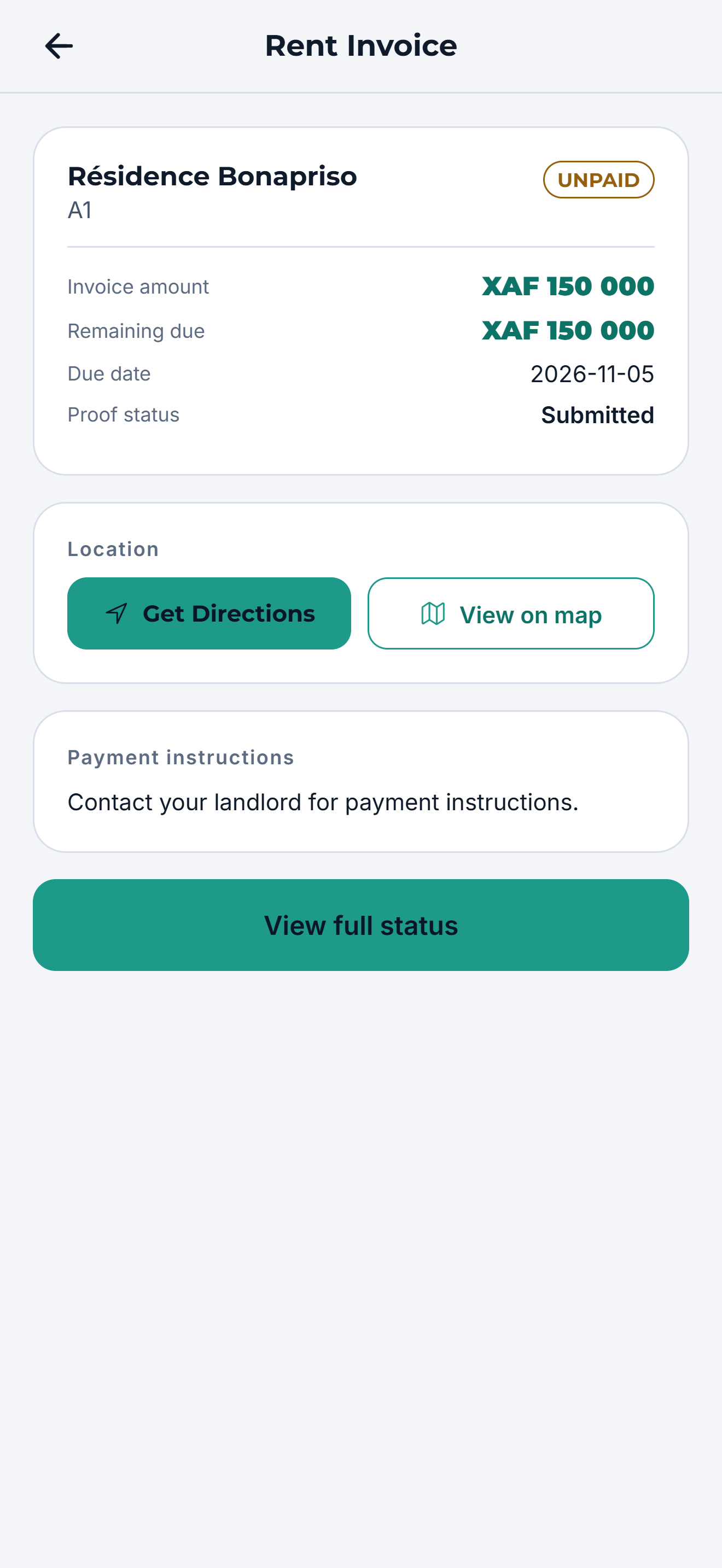
02
See the rent due
Amount, due date and what has already been paid.
-
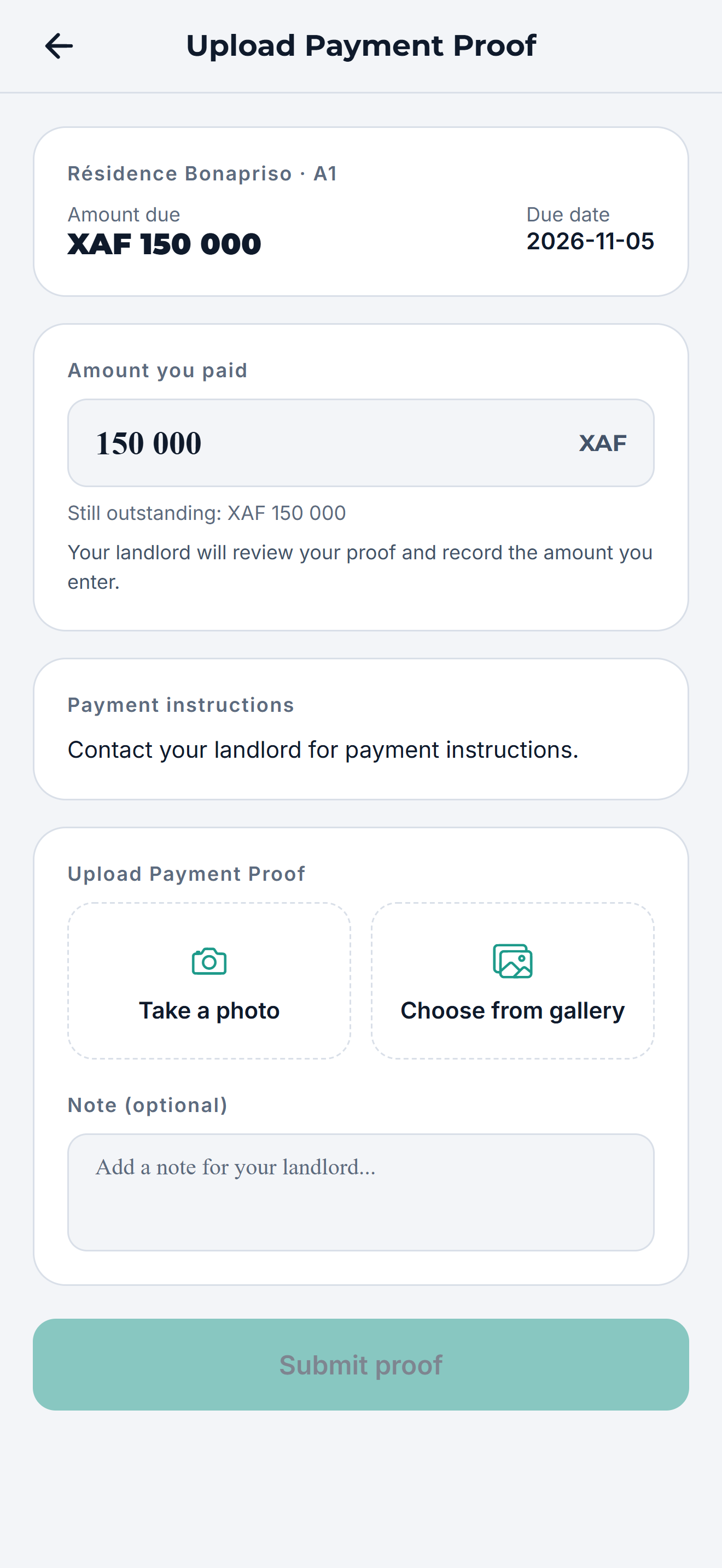
03
Upload the receipt
A photo of the MoMo, Orange Money or bank receipt, with the amount paid.
-
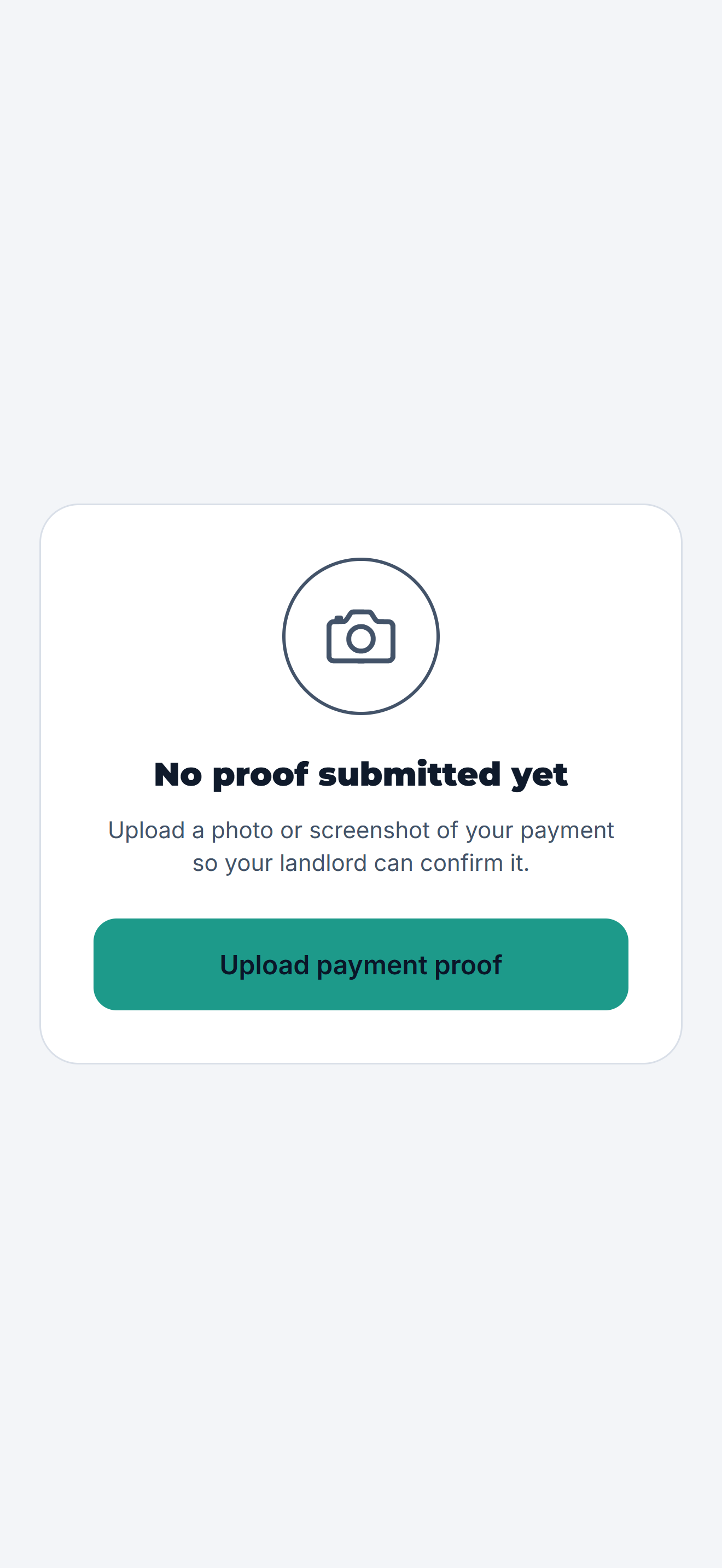
04
Follow the review
Pending, approved or rejected, with the reason if something is wrong.
-
05
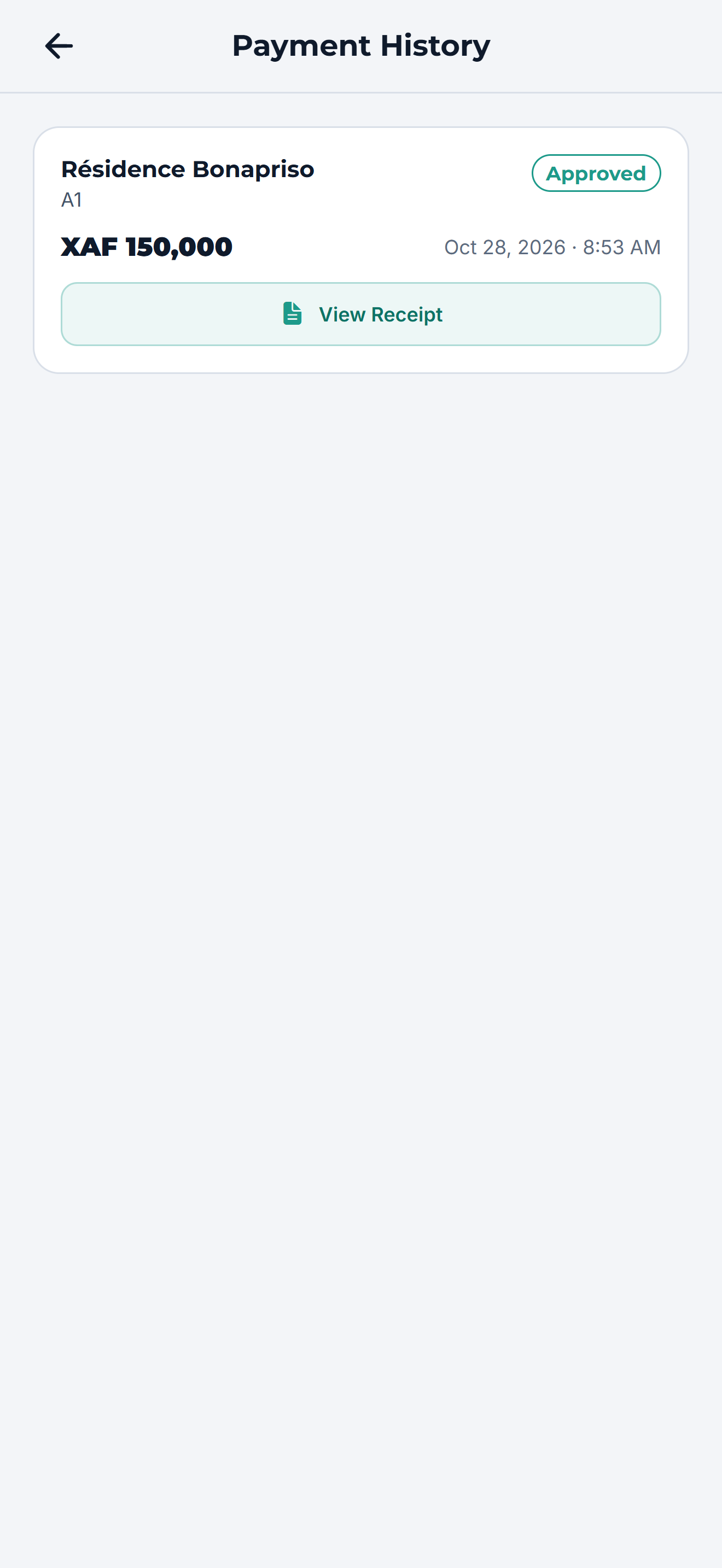
A clear payment history
Every approved payment, with a receipt.
-
06
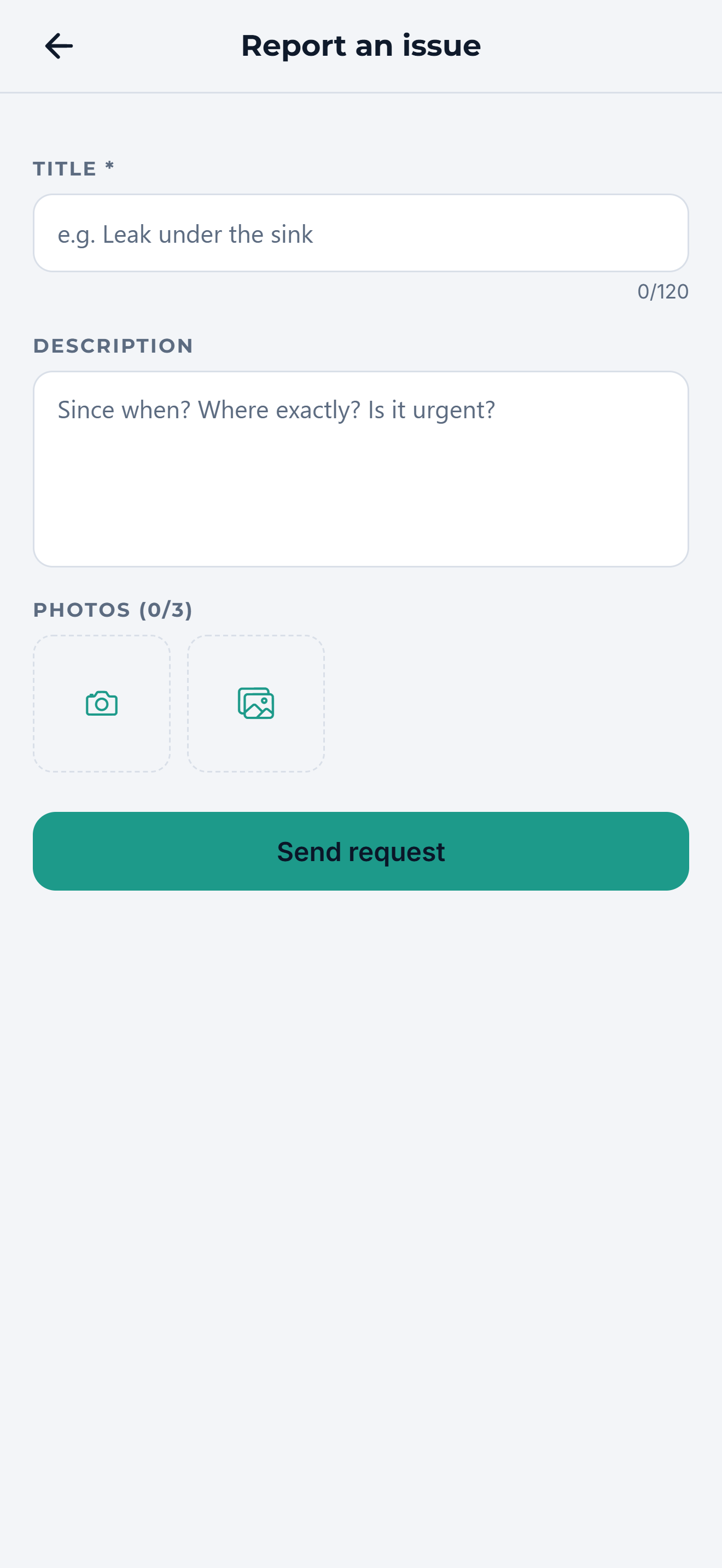
Report an issue
Describe the problem and add photos in seconds.
-
07
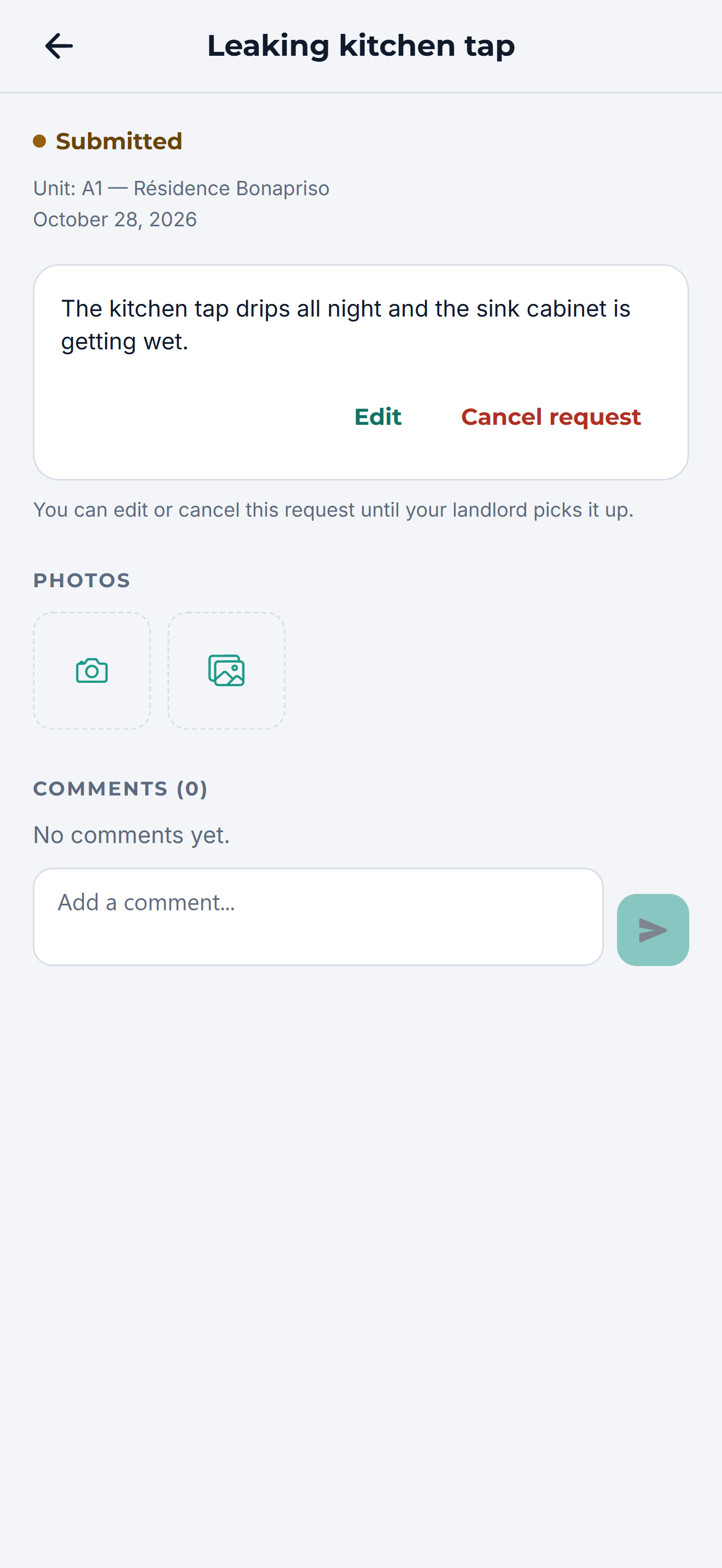
Track the repair
See when the issue is picked up and when it is done.
Step 01 / 07
Chapter 3
The team
On Agence Pro, everyone who runs your properties works in the same place, each with their own view.
-
01
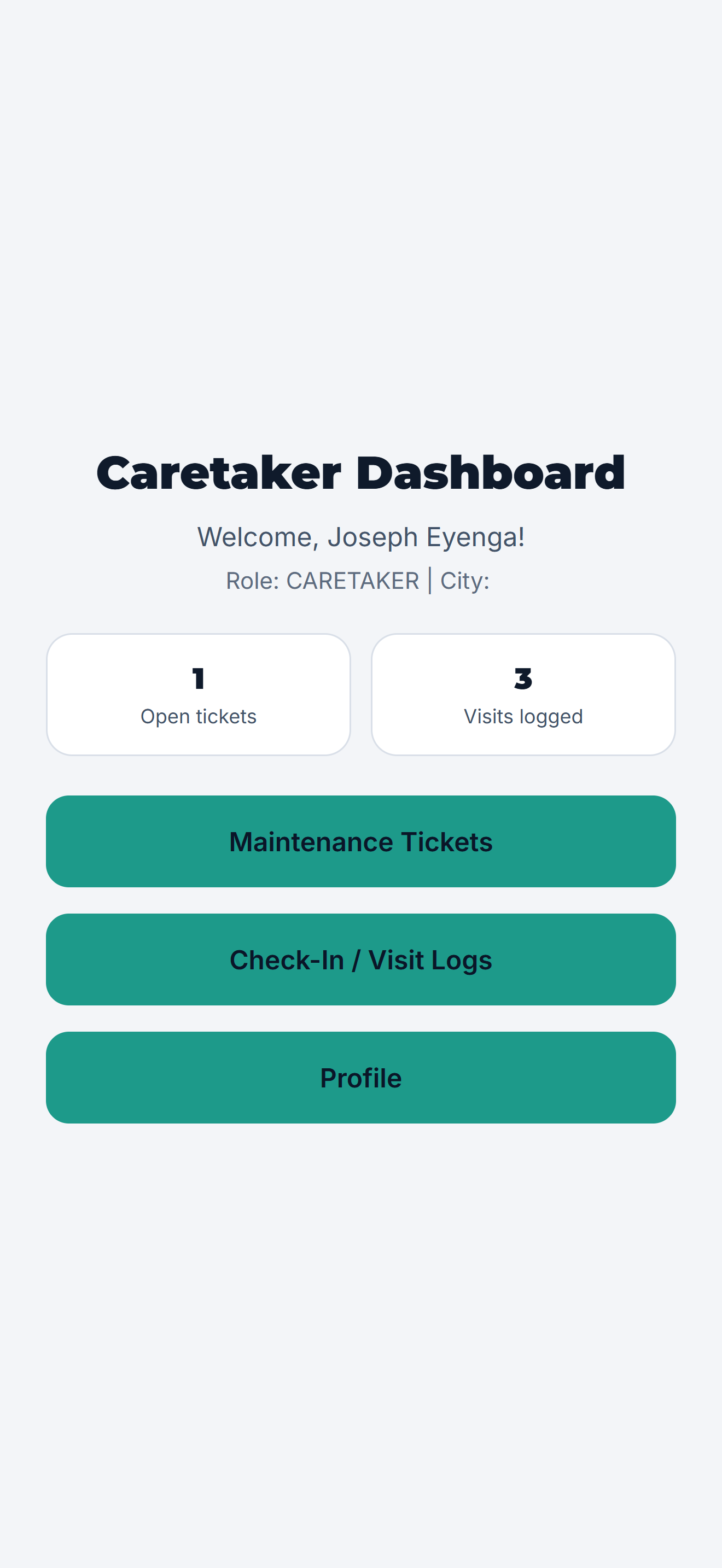
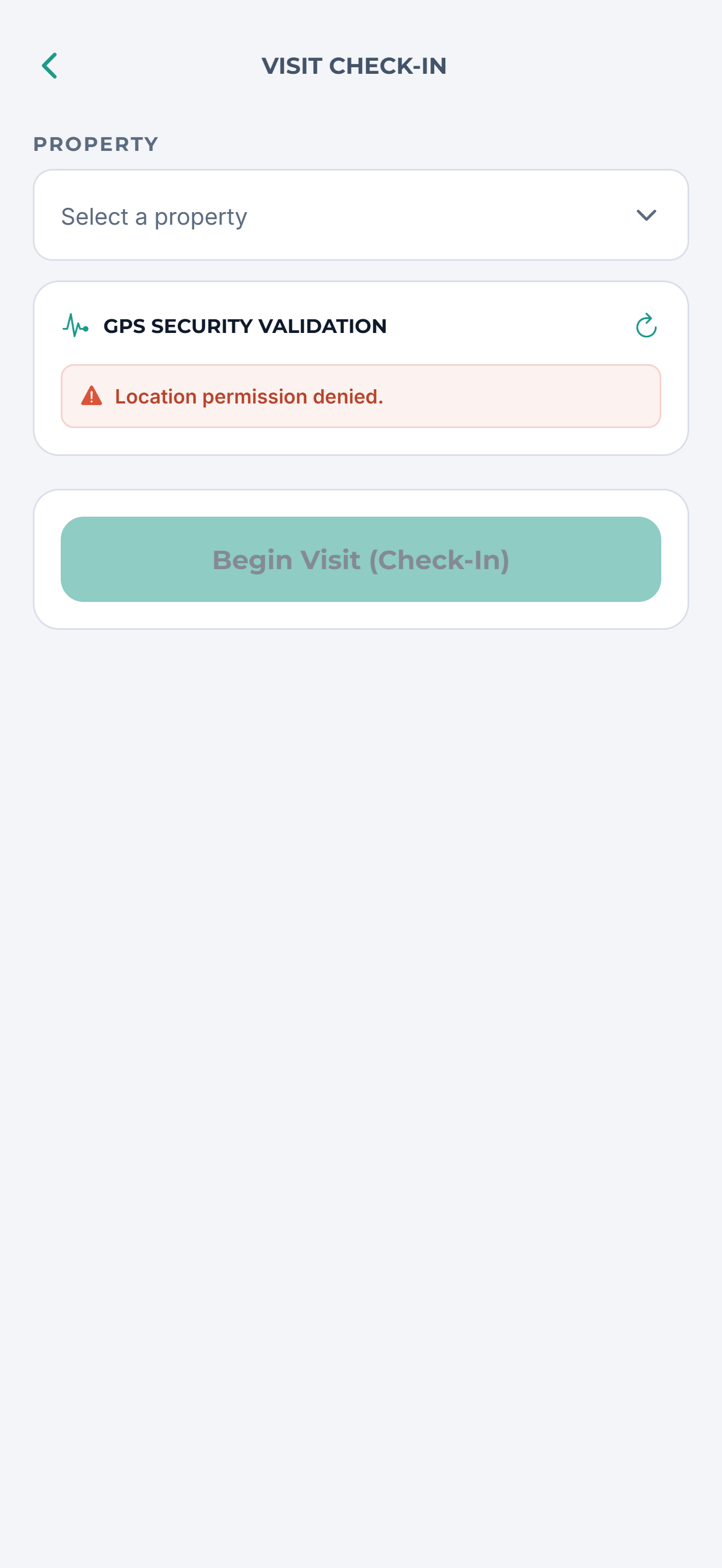
Caretaker
Checks in on site and logs every visit, with location.
-
02
Visit log
A dated record of who visited which property.
-
03
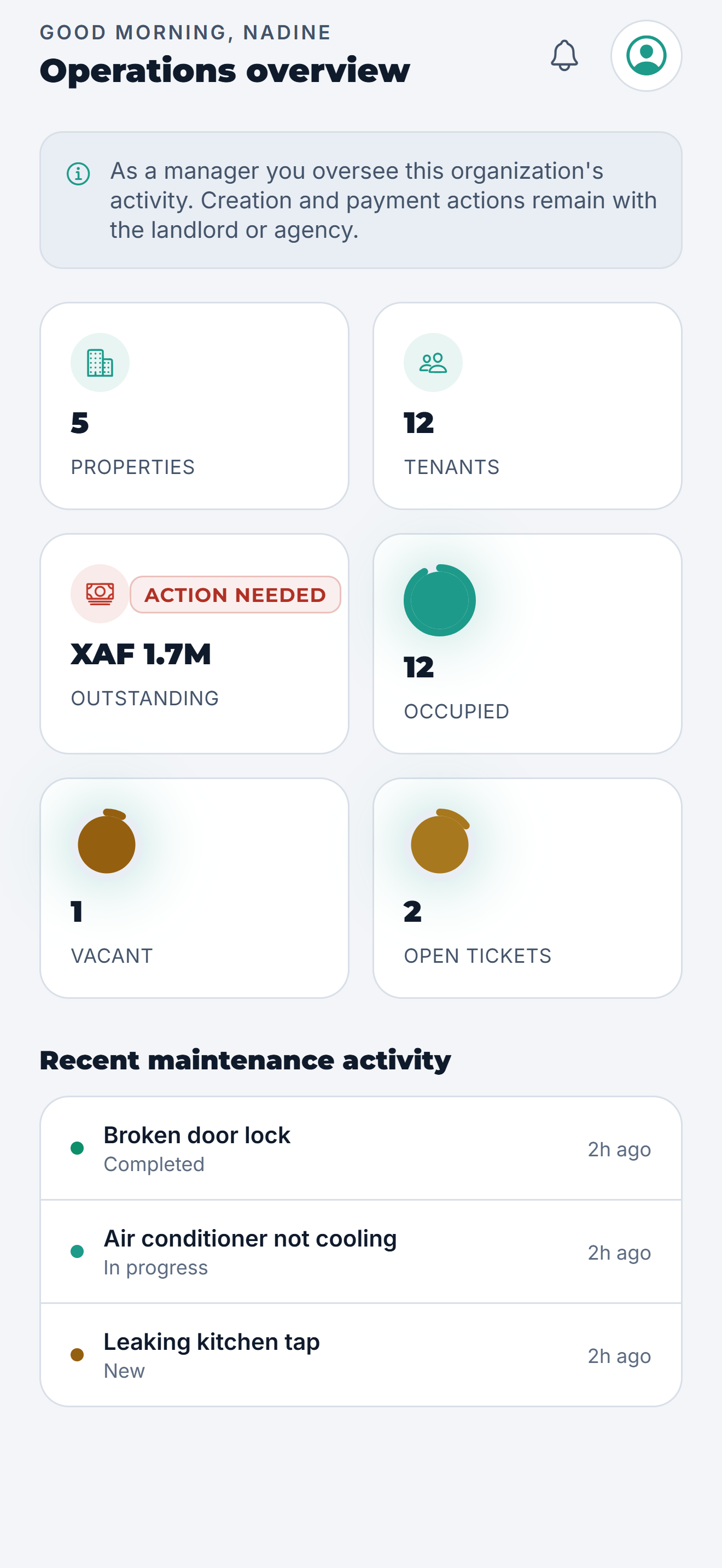
Manager
An operations overview of properties, tenants and tickets.
-
04
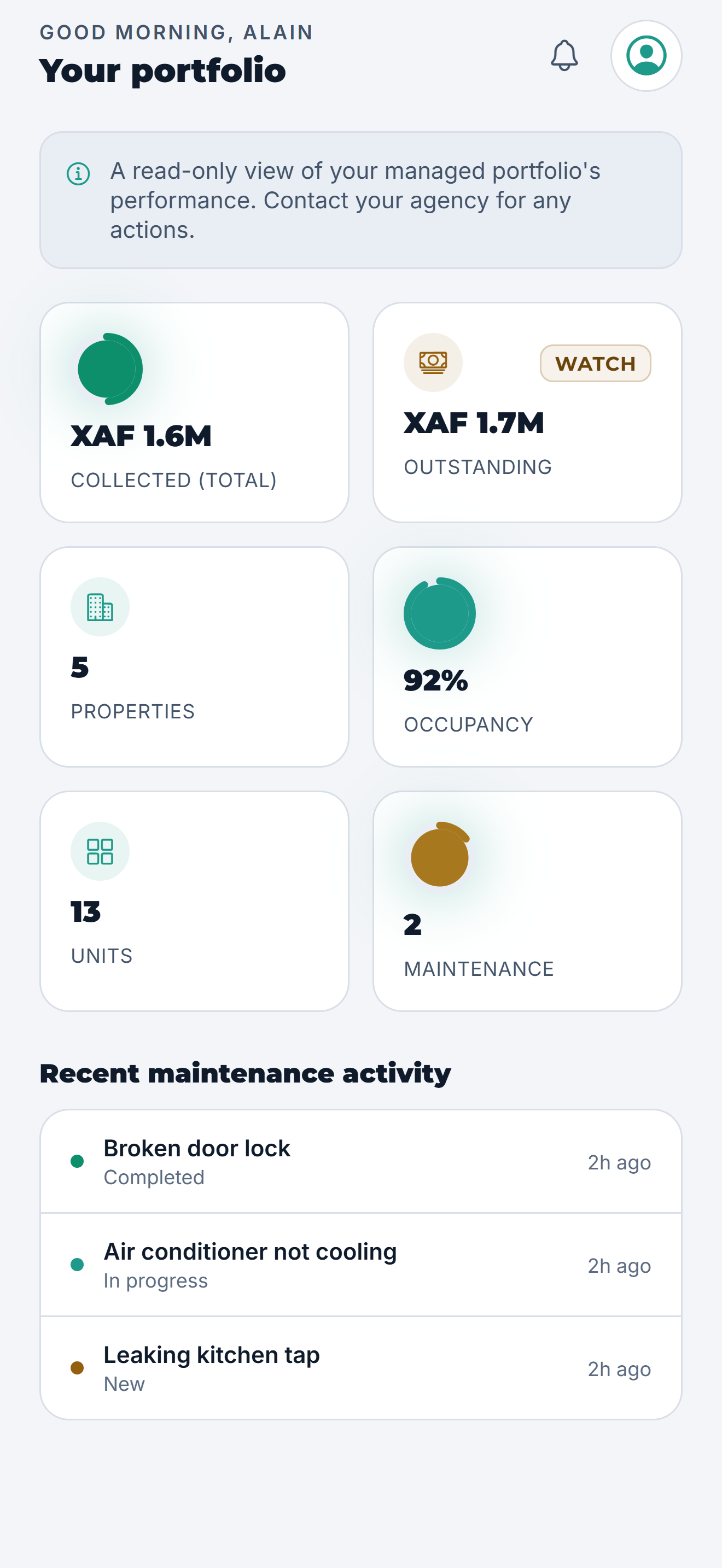
Owner
A read-only view of how the portfolio is performing.
-
05
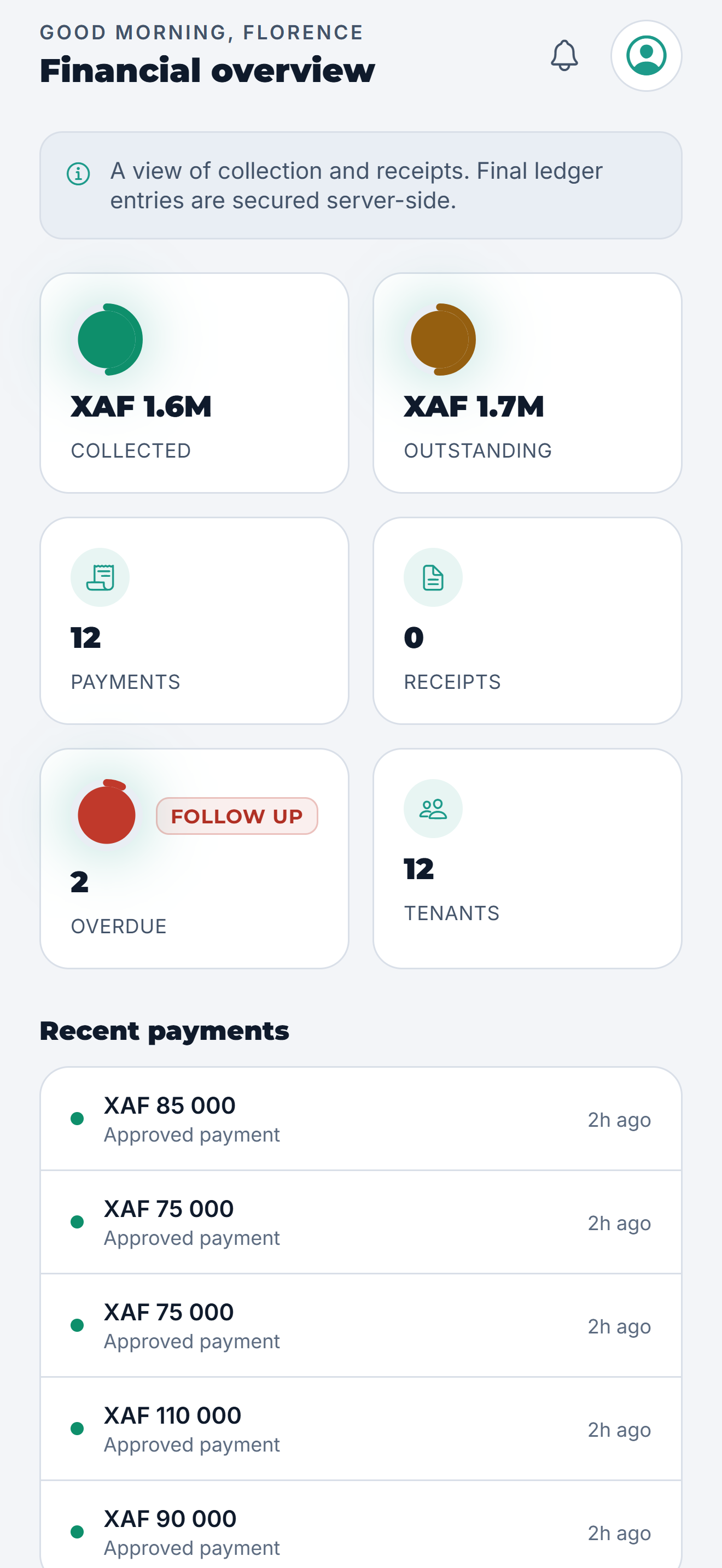
Accountant
Collections, receipts and recent payments.
-
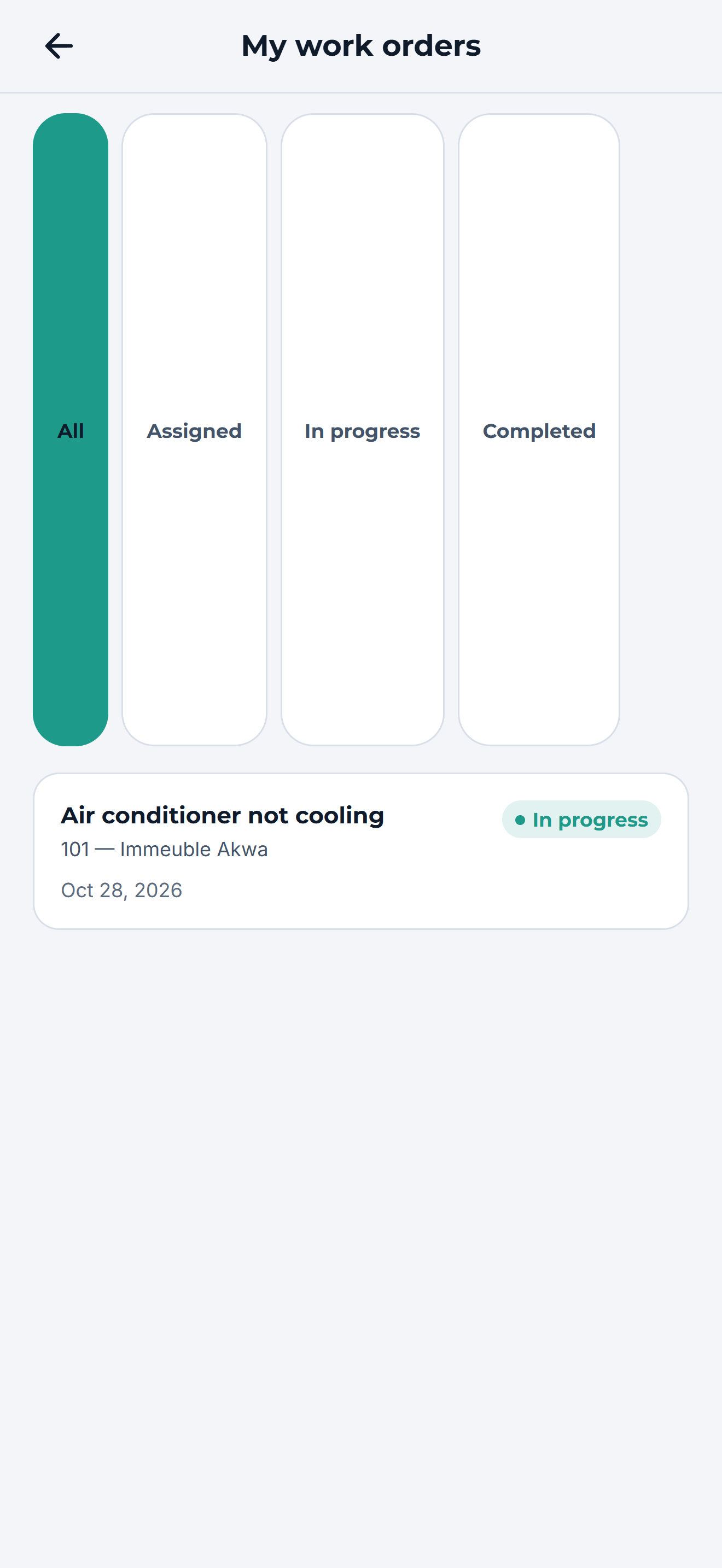
06
Vendor
Only the repairs assigned to them.
Step 01 / 06